

How to read these examples
Almost every list of custom software development examples is really a list of technologies. That is not much help when you are trying to work out whether your own problem is worth building software for.
So the seven categories below are organised by the operational problem, not the stack. Each one describes the mess that comes before the software, what the system actually replaces, and the signals that tell you a business has arrived at that point. If one of them reads like a description of your last quarter, that is the category you are in.
A caveat worth stating up front: real projects are rarely a clean example of one category. An ERP build almost always grows a customer portal; a tracking system almost always needs a field app. Read these as ingredients rather than as products on a shelf. For the underlying definition, start with what custom software development actually means.
Operations and ERP platforms
The most common serious build. A company reaches the point where inventory lives in one system, purchase orders live in a second, finance exports to a third, and the only thing holding the picture together is a person who knows how to reconcile all of them. An ERP platform is the decision to stop paying for that reconciliation every month.
What gets built is rarely “an ERP” in the sense of a product with a hundred modules. It is usually four or five modules that matter — stock, procurement, invoicing, approvals, reporting — with role-based access so a warehouse supervisor and a finance manager see different systems built on the same data. The value is not any single module. It is that a purchase order, a goods receipt and an invoice finally refer to the same record.
Signals you are in this category
- One figure, typed twice
- Month-end takes days
- Approvals over WhatsApp
- Paper stock ≠ floor stock
- Reports start with an export
We built exactly this shape for Emarath: inventory, procurement, finance, HR and reporting unified behind one permission model, with dashboards that read from live data instead of last week’s export.
Tracking and logistics systems
Anywhere a business owns moving things — vehicles, shipments, containers, service crews — someone is currently answering the question “where is it?” by making a phone call. Tracking software replaces the phone call with a map, and then, more usefully, replaces the map with alerts.
The mistake in this category is stopping at visibility. Live GPS is the easy part and the part every off-the-shelf tracker already does. The value sits in what the position data feeds: automatic maintenance scheduling based on real distance covered rather than calendar months, fuel consumption flagged against expected consumption for that route, driver hours checked against limits before a trip is assigned.
Visibility tells you where the van is. The system earns its cost when it tells you the van is due for service in 400km and the route you just assigned is 600km.
Signals you are in this category
- Dispatch by phone call
- Servicing by calendar, not usage
- Fuel reconciled from paper
- No per-trip cost
Made-to-order and configurable commerce
Standard e-commerce platforms assume a product is a fixed thing with a fixed price. The moment the customer is choosing the thing — engraving a name, picking a fabric, specifying dimensions, uploading artwork — that assumption breaks, and the workarounds start: order notes the warehouse has to read, emailed proofs, a pricing spreadsheet somebody maintains by hand.
A configurator is custom software with a shopfront attached. It has to hold the rules of what can combine with what, price the combination correctly, render a preview the customer trusts enough to pay against, and hand production a specification precise enough to make without a follow-up call. FetchKids is a working example: the customer designs the product, sees the result before paying, and production receives an unambiguous spec.
Customer and partner portals
A portal is what you build when the same question arrives by email forty times a week. Where is my order. What is the balance on my account. Can you send last month’s statement. Which of my properties has an open ticket. Each question is trivial; answering them is a full-time job that nobody was hired to do.
The engineering here is mostly about boundaries rather than features: every client must see their own data and nothing else, which means the permission model is the product. Portals are also the most reliable place to start a phased build — they usually read from systems you already have rather than replacing them, so the risk is contained and the relief is immediate.
Signals you are in this category
- Staff time on status updates
- Statements sent by hand
- Clients ask for data you hold
- Onboarding is a folder of emails
Field and mobile workforce apps
Technicians, delivery crews, surveyors, inspectors and sales reps all share a problem: the work happens away from a desk, and the record of the work gets written down twice — once on paper in the field, once into a system in the evening, with a day’s forgetting in between.
A field app collapses that into one capture, at the point of work. The three requirements that separate a usable one from a shelved one are unglamorous: it works with no signal and syncs later, it takes photos as evidence without a separate upload step, and a job can be completed in under a minute of tapping. Anything that asks a technician standing on a roof to fill in fourteen fields will be filled in from the van afterwards, which puts you back where you started.
Internal tools and admin panels
The least glamorous category and, per rupee spent, usually the highest return. An internal tool replaces a specific spreadsheet that a specific team depends on and has quietly outgrown — the one with colour-coded rows, a sheet per month, and one person who understands the formulas.
These are small builds: six to ten weeks, one or two user roles, a handful of screens. They are also the safest way to find out whether you and a development partner can work together, which is why we often suggest starting here even when the eventual goal is a platform. You get a working system and a tested relationship for a fraction of the commitment.
A spreadsheet that more than three people edit is not a spreadsheet any more. It is an application with no permissions, no audit trail and no backup.
Integration and automation layers
Sometimes nothing needs building because everything already exists — it just does not talk. The accounting package is fine. The CRM is fine. The warehouse system is fine. The cost is entirely in the human copying between them.
An integration layer is the cheapest custom software there is, because it adds no screens. It listens to one system, transforms the data, writes it to another, and tells somebody when it cannot. Most businesses that think they need a new platform actually need this first, and discover afterwards that the remaining problem is much smaller than they thought.
Signals you are in this category
- Daily copy-paste between tools
- Every tool individually fine
- Exports and imports as routine
- Days of lag between systems
Which one is your problem?
A quick way to place yourself, from cheapest intervention to most involved:
- Two good systems, one person copying between them — you need an integration layer, not a platform.
- One spreadsheet, several editors, growing dread — an internal tool.
- Your team answers the same client question all day — a portal.
- The work happens away from a desk and gets recorded twice — a field app.
- Customers specify the product before buying it — a configurator.
- You own things that move and you cannot cost a single journey — a tracking system.
- Stock, purchasing and finance disagree with each other — an operations or ERP platform.
Whichever line you landed on, the next two questions are how it gets built and what it costs. Both have their own guide: the custom software development process walks through the six phases of a build, and how much custom software costs covers what actually moves the number. If you are not yet sure building is the right call at all, read custom software vs off-the-shelf first — it is the more honest place to start.
Case studies
Three of our own builds, each sitting in one of the categories above.
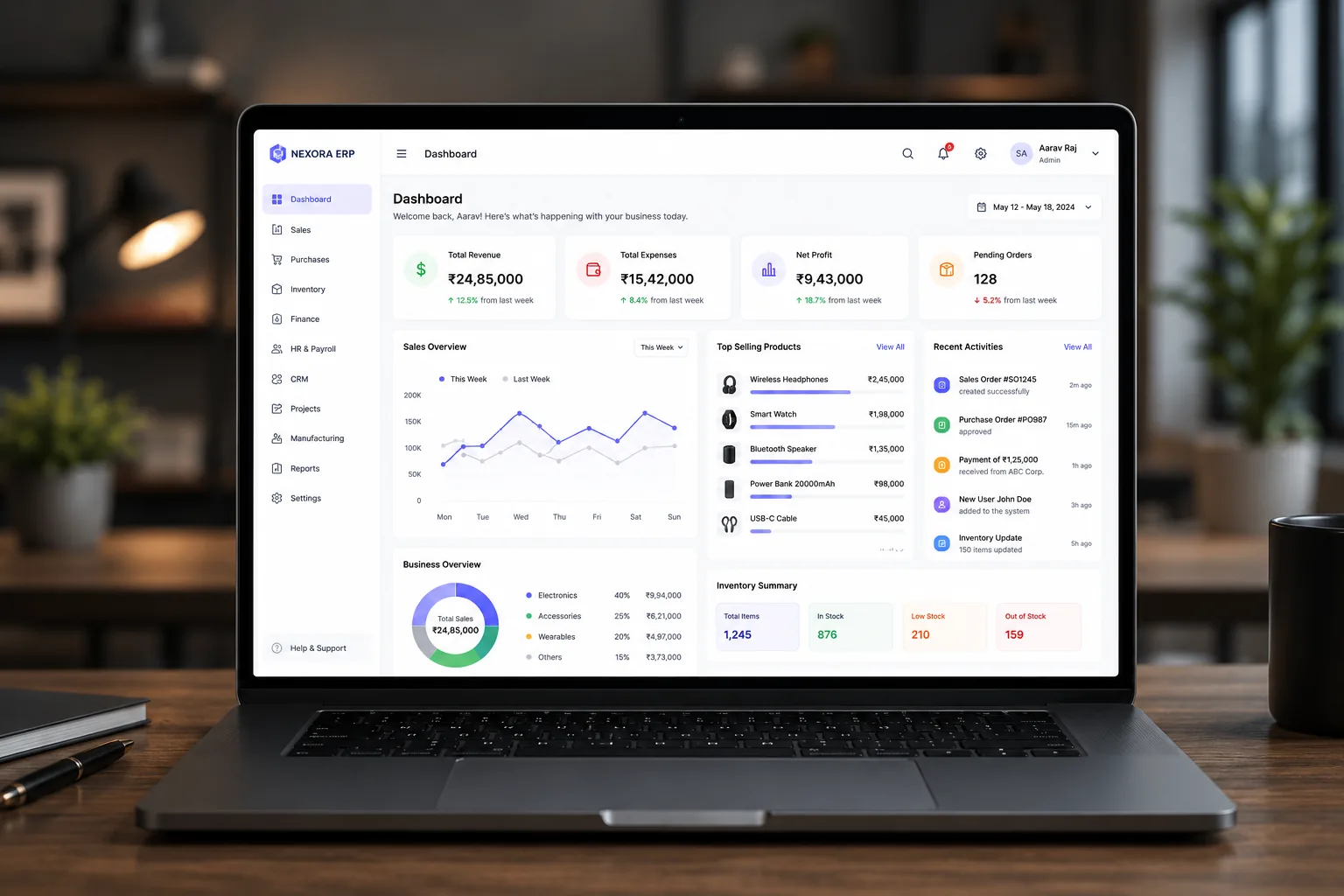
Emarath ERP
Inventory, procurement, finance, HR and reporting folded into one system with role-based access.
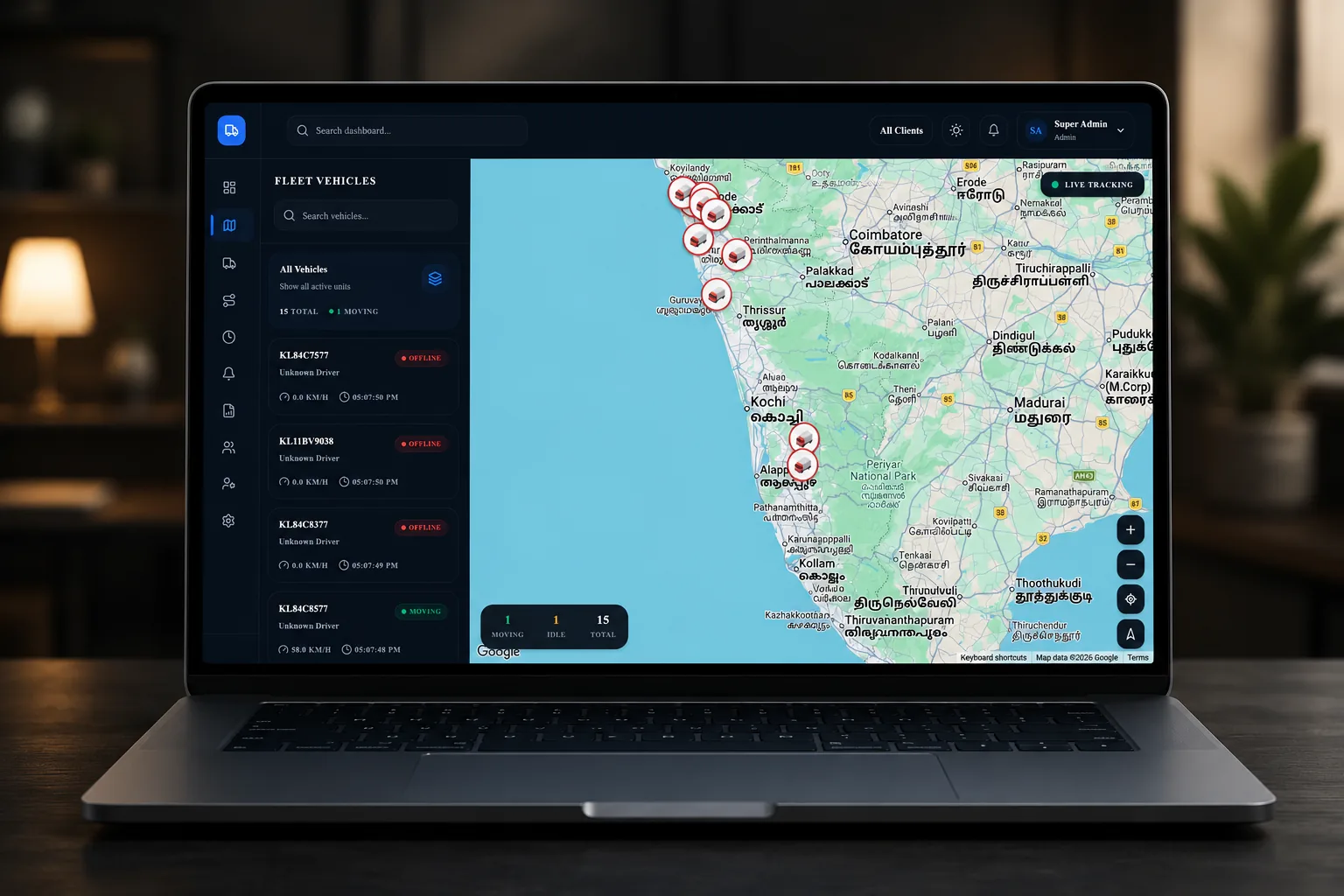
Fleet Management
Live GPS, fuel and expense tracking, and automated maintenance alerts across an entire vehicle fleet.
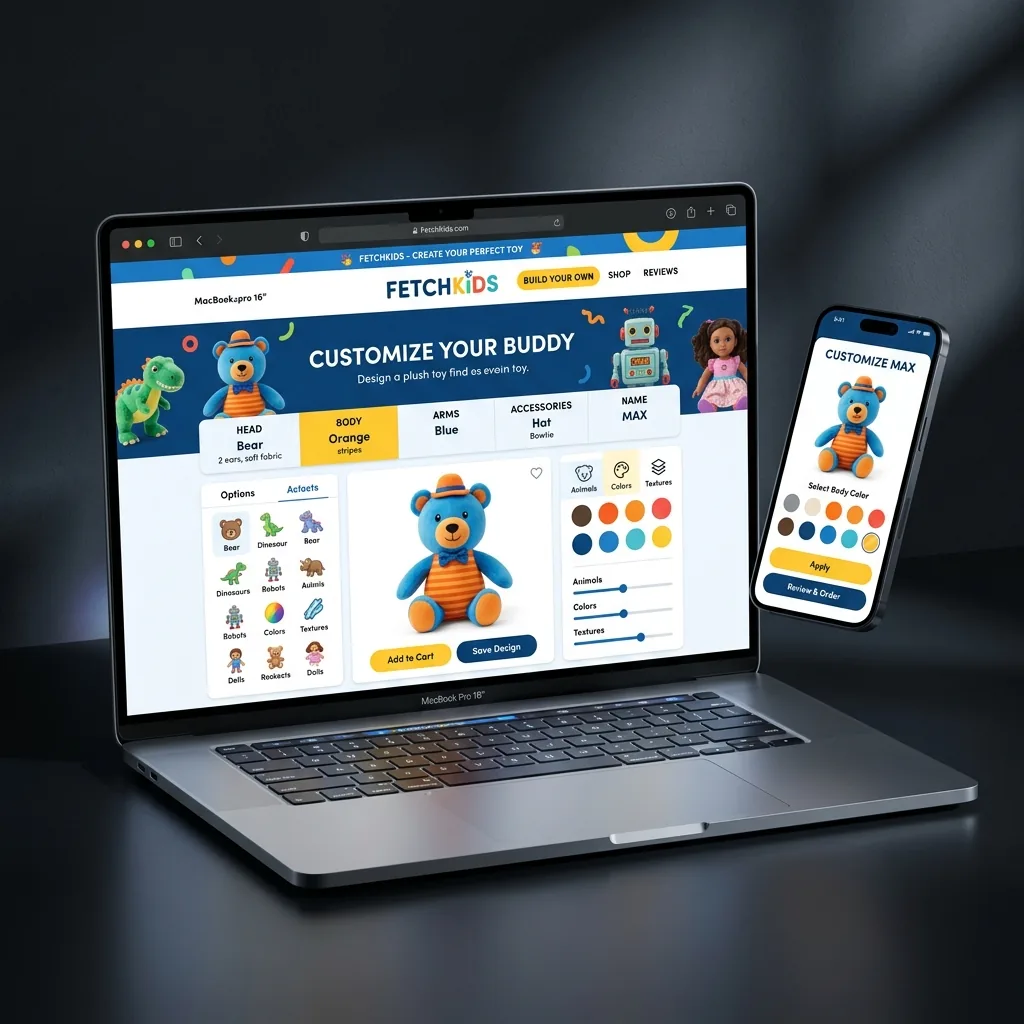
FetchKids
A made-to-order storefront where the customer designs the product and sees the result before paying.
Questions
What are common examples of custom software?
The most frequently commissioned categories are ERP and operations platforms, tracking and logistics systems, made-to-order commerce, customer and partner portals, field workforce apps, internal admin tools, and integration layers that connect systems a business already runs. Most real projects combine two or three of these rather than being a pure example of one.
Is a company website custom software?
A brochure website usually is not — it is content in a template. It becomes custom software when it carries business logic: a configurator that prices a made-to-order product, a portal where clients see their own data, or a booking system that holds inventory. The line is whether the site does work, or only describes it.
Can custom software work alongside software we already use?
Usually yes, and often that is the cheaper design. If your accounting package works, keep it and build only the piece that is missing, connected through its API. Replacing a working system is expensive and rarely the actual requirement.
What is the smallest useful custom software project?
A single workflow currently run on a shared spreadsheet by more than three people. That is small enough to build in weeks, and the spreadsheet already documents the exact fields, rules and edge cases the software needs to handle.